On this page
Choose Gamma for generating a deck you can share as a link, Canva for presentations alongside your other marketing assets, or Plus AI for working inside Google Slides and PowerPoint. Consider Figma Slides if your team already maintains its design assets in Figma. The deciding factors are how much you can edit, how well the deck follows your brand, and whether the final export works in your audience’s presentation software.
This guide compares 17 presentation tools and alternatives by workflow, pricing, and free access. Start with the table, shortlist two or three options, then test them with the same brief and source material.
- Choose your final format first: a browser link, an editable PowerPoint file, and a Google Slides deck are different deliverables.
- Separate AI deck generators, AI assistants inside existing editors, and template-based alternatives when comparing tools.
- A brand kit supplies colors and fonts; reusable layouts and approval controls address additional needs.
- Free plans, free trials, and free editing do not necessarily include the same AI usage or exports.
- Judge the finished deck, including editing time and export quality, rather than generation speed alone.
AI Presentation Makers: Pricing and Workflow Comparison
Pricing checked: 31 October 2026. Dollar amounts are USD unless another currency is shown. Annual plans require an annual commitment; a monthly equivalent is not a month-to-month price. The examples below are selected plans, not a claim that every row shows the lowest available price. Each tool name links to its official pricing or product page.
| Tool | Best-Fit Workflow | Paid Plan or Pricing Basis | Free Access |
|---|---|---|---|
| Gamma | Generating presentations to share as browser links | Plus, Pro, and Ultra plans; check the current amount before upgrading | Free plan with 400 signup credits and up to 10 slides per prompt |
| Canva Magic Design | Slides alongside other branded marketing assets | Pro: $144/year for one person | Free plan; AI allowances differ by feature and plan |
| Beautiful.ai | Presentations using automatically adjusting slide layouts | Pro: $14.50/month, billed annually; monthly option listed at $45 | 14-day trial; separate education offers may apply |
| Design.com | AI-assisted presentation layouts and customization | Premium plans available; confirm the presentation download package | Free browsing and customization advertised |
| BrandCrowd | Template-based branded presentations | Confirm the current subscription and download terms | Free presentation maker advertised; check the required output |
| Claude Design | Developing and revising presentations through conversation | Claude Pro: $20/month or $200/year | Current Claude Free plan lists Design and Slides, with usage limits |
| Microsoft Copilot for PowerPoint | AI assistance in a Microsoft 365 workflow | Example bundle: Business Premium with Copilot, $32/user/month, paid yearly | Trial terms vary; free Copilot Chat is not equivalent to full in-app access |
| Plus AI | Generating and editing inside Google Slides and PowerPoint | Basic: $10/user/month annually or $15 monthly; document uploads start on Pro | 7-day trial with 1,000 AI credits |
| Figma Slides | Presentations built around an existing Figma workflow | Seat-based pricing; check the seat and AI allowance you need | Starter plan with limited product and AI access |
| Pitch | Collaborative presentations and tracked sharing | Plus: €10/month, paying yearly, in the version checked | Free plan with 100 one-time AI credits |
| Google Slides + Gemini | AI-assisted presentations within Google Workspace | Business Standard: regular price $14/user/month with annual commitment; promotions may apply | Basic Slides is free; check Gemini feature eligibility separately |
| Visme | Presentations alongside charts, reports, and interactive content | Starter: $147/year; Pro: $297/year | Basic plan; check AI and download limits |
| Adobe Express | Presentations within a broader Adobe design workflow | Premium: $9.99/month | Free plan with feature and AI limits |
| Storydoc | Interactive presentations shared as web documents | Starter: $19.80/month, billed $237.60 annually; Pro: $36/month annually | Free start advertised; confirm ongoing access terms |
| Prezent.ai | Enterprise presentation workflows and brand controls | Enterprise plans: contact sales; individual Lite listed at $399/user/month | Try-for-free access advertised; confirm eligibility |
| SlidesAI | AI-assisted slide creation | Pro: $10/user/month, billed $120/year | Basic plan with 200 AI credits/month |
| Moda | Generating and editing designs on a canvas | Pro: $30/user/month; Ultra: $100/user/month, billed monthly | 500 credits/seat/month; decks up to 10 slides |
Comparison approach: The opening recommendations match tools to workflows, rather than ranking them from a timed benchmark. Pricing was checked against official pages. BrandCrowd is included as a template-based alternative; it should not be treated as equivalent to a prompt-to-deck generator.
The 17 Presentation Tools and Alternatives
1. Gamma
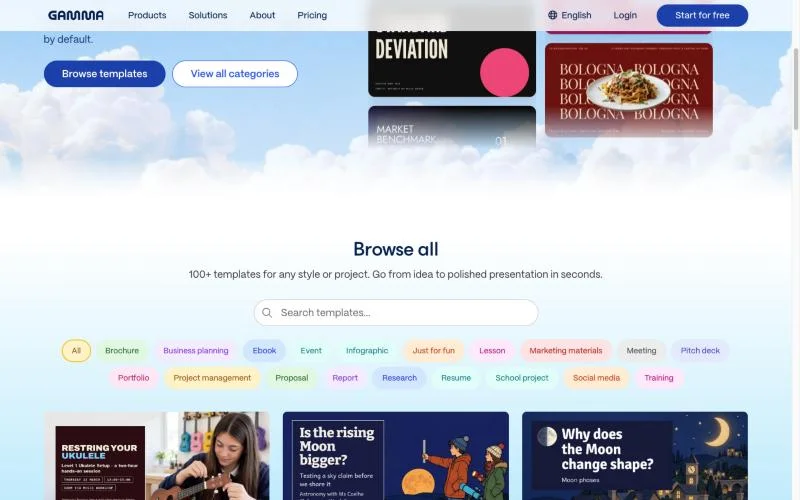
Gamma turns a single prompt into a complete deck in under 60 seconds. The output is card-based, closer to a scrollable web page than slides you click through one at a time. It makes real layout choices instead of dropping text into a fixed template, and supports live embeds (YouTube, Figma files, charts) inside slides. Set your brand colors once, and every future deck pulls from the same palette.
Pricing: Free plan with 400 signup credits and up to 10 slides per prompt. Plus, Pro, and Ultra are paid tiers; consult the linked pricing page for the current amount. Plus includes removal of Gamma branding.
Best For: Teams sharing decks as links rather than presenting live.
Watch Out For: Check the exported PPTX in its destination application before sending it.
2. Canva Magic Design
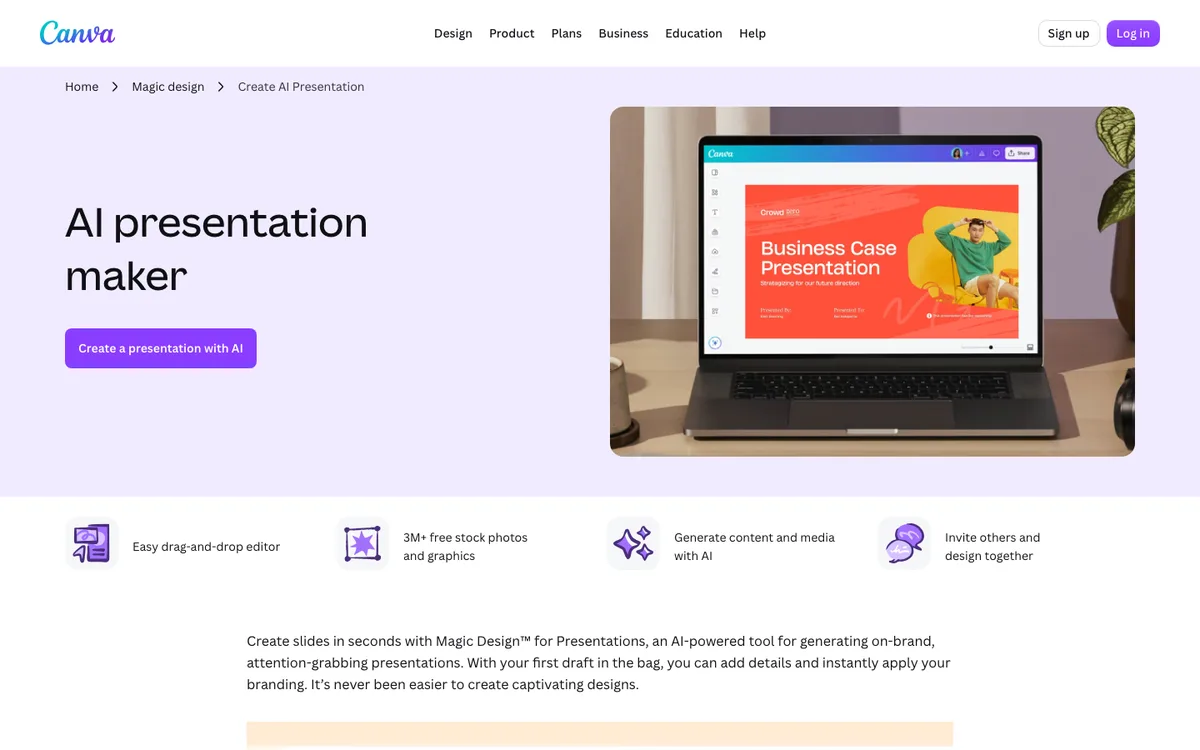
Magic Design lives inside the full Canva suite, so generation connects directly to Magic Write, Magic Media, and Magic Charts. Describe a topic and Canva produces several visual directions upfront, not just one. A Decktopus 2025 survey found over 72% of business professionals now use AI for content, design, and slide layout, and Canva is probably the tool most of them already have open.
Pricing: Canva Free is available. The US pricing page lists Canva Pro at $144/year for one person. Check current AI allowances rather than assuming a fixed number of presentation generations.
Best For: Marketing teams already living in Canva for slides, social, and brand assets.
Watch Out For: Check fonts, charts, and layouts after exporting to PowerPoint.
3. Beautiful.ai
Beautiful.ai's Smart Slides automatically reflow when you add or remove content, rebalancing the layout without manual fixing. Most brand kit tools stop at colors and fonts; Beautiful.ai enforces layout structure too, so nobody on the team can accidentally build an unbalanced slide. G2 reviews cite a 50% to 75% reduction in design time over building decks manually.
Pricing: Pro is $14.50/month, billed annually. The monthly option is listed at $45. A 14-day trial is available.
Best For: Sales teams and consultants building decks weekly without a designer on call.
Watch Out For: The smart layout system feels rigid for unconventional visual structures.
4. Design.com
Design.com takes a straightforward approach to AI presentation creation, letting you generate professional-looking slides by entering your business name or a few keywords. The AI presentation maker handles the initial layout, giving you a starting point that you can customize rather than building every slide from scratch. The platform is particularly useful if you need presentations for business, marketing, pitches, webinars, or other professional settings. You can choose from a large collection of templates, adjust the visual style, and use built-in images, icons, and graphics to further develop the deck.
Pricing: The product page advertises free browsing and customization, with premium plans available. Confirm the download package and renewal price before subscribing.
Best For: Users who want a presentation starting point within Design.com’s broader branding suite.
Watch Out For: Confirm which editable presentation formats and downloads are included in the selected package.
5. BrandCrowd
BrandCrowd's presentation maker focuses on making professional presentations quickly through customizable templates. Enter your business name or keywords to browse thousands of designs, then adjust the colors, fonts, layout, logo, and other elements to match your brand. It works particularly well for users who already use BrandCrowd for their logo and other business materials. Once you find a presentation design you like, you can make the necessary changes directly in the visual editor and download the finished presentation in high-resolution formats.
Pricing: A free presentation maker is advertised. Confirm subscription requirements and the exact download formats for your chosen design; the previous $3/month figure is not used in this comparison.
Best For: Small businesses, entrepreneurs, and creators who want branded presentations without complicated design software.
Watch Out For: This is a template-based alternative. Evaluate the editing and export workflow separately from AI-generated deck creation.
6. Claude Design
Anthropic launched Claude Design in April 2026, a chat-plus-canvas tool for building presentations through conversation. Describe what you need, and Claude builds a first draft, then you refine through chat, comments, or sliders. If your organization sets up a design system inside Claude Design, slides automatically apply your brand's colors, typography, and visual style, read from your actual design files rather than a static logo upload. Export covers PDF, PPTX, standalone HTML, or a handoff into Canva.
Pricing: The current Claude Free plan lists Design and Slides with usage limits. Pro is $20/month or $200 billed annually; higher-usage and team plans are also available.
Best For: Teams already on a Claude plan wanting real brand system application, not just color upload.
Watch Out For: Check usage limits and confirm the final file format and editability before committing to a larger workflow.
7. Microsoft Copilot for PowerPoint
Copilot lives inside PowerPoint via a chat pane. Describe what you want, or feed it a Word document, PDF, or Excel file, and it drafts a deck from your organization's existing templates and SharePoint assets. The 2026 Brand Kit feature pulls colors, fonts, and layout patterns from your templates automatically, but brand consistency in Copilot is something you manage, not something it enforces. It works best refining a deck you already started.
Pricing: Access depends on the Microsoft plan and account. The US business page currently lists Business Premium with Copilot at $32/user/month, paid yearly. This is a bundle example, not a standalone PowerPoint AI price.
Best For: Enterprise teams already on Microsoft 365 wanting AI inside familiar tools.
Watch Out For: Confirm in-app PowerPoint access for your account; access to Copilot Chat alone does not establish the same entitlement.
8. Plus AI
Plus AI skips the separate-app problem. It is an add-on inside Google Slides and a plugin inside PowerPoint, so nobody has to switch tools or open an unfamiliar link. Its Remix feature reformats an existing deck into a new layout instantly, and it accepts PDF, DOCX, and TXT uploads as generation inputs, not just prompts.
Pricing: Basic is $10/user/month billed annually or $15 billed monthly. Pro is $20/user/month annually or $25 monthly and includes document uploads. Plans start with a 7-day trial containing 1,000 AI credits.
Best For: Teams wanting AI inside Google Slides or PowerPoint without disrupting existing collaboration.
Watch Out For: Match the plan to the task: document uploads and team branding are not included in every tier.
9. Figma Slides
Figma Slides is the only tool here that pulls live design components directly from your existing design system. A team that maintains brand colors, typography, and components in Figma gets decks that inherit the actual brand language, not an approximation. AI features include tone and length adjustment, auto-generated presenter notes, AI image generation, and FigJam-to-slides conversion.
Pricing: Figma offers a free Starter plan and paid seat types. Confirm the seat required for your editing workflow and its current AI allowance.
Best For: Product and design teams already working inside Figma.
Watch Out For: Not built for a fast prompt-to-deck workflow. Rewards teams with existing Figma design infrastructure.
10. Pitch
Pitch's standout feature is not the AI generation, it is what happens after you send the deck. Pitch Rooms shows which slides a prospect opened, skipped, and how long they spent on each, turning a sent deck into actual feedback. It also connects to HubSpot, Salesforce, Google Analytics, Figma, and Slack.
Pricing: The Free plan includes 100 one-time AI credits. The pricing page checked displayed Plus at €10/month, Team at €15/seat/month, and Business at €20/seat/month, paying yearly. Confirm your local currency and plan requirements.
Best For: Sales teams who want to know what happens to a deck after it leaves their inbox.
Watch Out For: Advanced tracked links and Pitch Rooms depend on the plan; the free sharing experience is not equivalent.
11. Google Slides + Gemini
Gemini is built into Google Slides for Workspace subscribers, and as of April 2026 it can generate full decks from uploaded source material or a topic prompt through Gemini's Canvas, exporting the result into Slides. Inside the editor itself, Gemini generates individual slides, creates AI images, drafts speaker notes, and summarizes or translates text, but it works slide by slide rather than generating a full deck from one prompt.
Pricing: Basic Google Slides is free. Gemini features have separate account and plan requirements. For business use, Workspace Business Standard is listed at a regular $14/user/month with annual commitment; do not mistake a temporary promotion for the ongoing rate.
Best For: Teams already in Google Workspace wanting light AI help without a new tool.
Watch Out For: Verify the specific Gemini feature in your account. Basic Slides access does not mean every AI presentation capability is included.
12. Visme
Visme goes beyond slides into infographics, interactive reports, and animated data charts, all AI-generated. Paste a raw data table and Visme turns it into a designed chart automatically. The feature range is impressive, and that is also the catch: a quick 12-slide deck gets more than it needs. Visme earns its place in long-form, data-heavy content instead.
Pricing: A free Basic plan is available. Starter costs $147/year, equivalent to $12.25/month; Pro costs $297/year, equivalent to $24.75/month. Check the export and AI features included in each plan.
Best For: Marketers building interactive, data-driven content that lives beyond a single meeting.
Watch Out For: The feature depth creates a real learning curve.
13. Adobe Express
Adobe Express treats presentations as one feature inside a broader design suite, connecting to Adobe Stock, Firefly AI image generation, Adobe Fonts, and assets from Photoshop or Illustrator. Firefly trains on licensed and Adobe-owned content, worth knowing if your team publishes AI-generated images commercially.
Pricing: A free plan is available. Adobe Express Premium is listed at $9.99/month. Check whether your existing Adobe subscription already includes the access you need.
Best For: Teams already inside Adobe Creative Cloud.
Watch Out For: Test the specific presentation-generation and export workflow instead of assuming every Adobe AI feature is included.
14. Storydoc
Storydoc builds interactive, web-native presentations meant to be shared as links, not downloaded files, closer to a landing page than a slide deck. Embedded video, data tables, and booking links can live inside one deck, and every shared link tracks view time and slide-level engagement. It connects to HubSpot, Salesforce, and Pipedrive.
Pricing: Starter is listed at $19.80/month, billed $237.60 annually. Pro is $36/month, billed $432 annually. The site advertises a free start; check the current access and continuation terms.
Best For: B2B teams sending proposals as links who want engagement data.
Watch Out For: Confirm that a web document suits the recipient before choosing it for a deliverable requiring an editable PPTX.
15. Prezent.ai
Prezent treats brand compliance as a structural feature, not a checklist run afterward. Every generated deck enforces brand standards, approved messaging, and content guidelines automatically. Enterprise teams lose more than 20 hours a week building presentations manually, and global consultancy ERM uses automated generation to maintain brand consistency across 7,500 employees in more than 40 countries, the exact gap Prezent is built to close.
Pricing: Enterprise plans use contact-sales pricing. The site also lists an individual Lite plan at $399/user/month, so the product should not be described as enterprise-only.
Best For: Large organizations where brand compliance across hundreds of decks is non-negotiable.
Watch Out For: Evaluate the required setup, templates, and approval controls before committing to an organization-wide rollout.
16. SlidesAI
SlidesAI is a Google Slides add-on generating content and basic layouts directly inside Slides, no separate app required. At roughly $8.33/month billed annually, it is one of the most affordable paid options here. The output suits internal meetings and quick briefings, not client-facing decks or brand campaigns.
Pricing: The current Basic plan includes 200 AI credits/month. Pro is now listed at $10/user/month, billed $120/year; the $8.33 figure in the original description above is historical and is superseded by this dated pricing note.
Best For: Solo marketers and small teams needing basic decks inside Google Slides.
Watch Out For: Review the output against your own brand and audience requirements before using it externally.
17. Moda
Moda is the newest tool on this list, and the one that surprised reviewers most. Instead of an AI assistant bolted onto a template editor, Moda runs a generative design agent that builds a complete first draft on a real vector canvas, choosing layouts, typography, and structure the way a designer would. The brand agent indexes your website, Drive files, and past decks to learn your visual language, then applies it consistently, with every element fully editable afterward.
Pricing: Free includes 500 credits/seat/month. Pro is $30/user/month with 6,000 credits; Ultra is $100/user/month with 22,000 credits, billed monthly. Paid plans can incur metered overage charges.
Best For: Design-led teams wanting AI to generate something genuinely distinctive.
Watch Out For: Check credit consumption and set an overage budget before using a paid plan heavily.
How Do You Choose the Right AI Presentation Maker?
Start with the finished deliverable and the people who will edit it. A tool that produces an appealing browser presentation may be a poor fit when the client needs an editable PowerPoint file. An add-on can be more practical when your team already collaborates in Google Slides.
If You Need an Editable PowerPoint or Google Slides File
Test the handoff before comparing visual polish. Open the finished file in the recipient’s application, edit a chart, replace an image, and change a heading. Check that the elements you need remain editable and that fonts, line breaks, and spacing survive.
If You Need a Presentation Shared as a Link
Check mobile readability, navigation, access permissions, and how updates reach existing viewers. If tracking matters, confirm which plan includes the analytics you need and whether the recipient must sign in.
If You Need Consistent Branding Across a Team
Separate three requirements: a brand kit for colors and fonts, reusable layouts for consistent structure, and review controls for approved content. Ask the vendor to demonstrate your actual requirement rather than relying on an “on-brand” label.
How Should You Compare AI Presentation Tools?
Give each shortlisted tool the same brief, source document, and target format. Compare the time required to reach a usable deck, including corrections and export checks.
- Write the brief. Name the audience, the decision you want, the intended length, and the final file format.
- Supply approved material. Include the facts, figures, terminology, and brand references the deck must use.
- Review the outline. Check the argument and slide sequence before generating or polishing the complete deck.
- Inspect the design. Compare hierarchy, text density, chart readability, image relevance, and consistency.
- Test editing and delivery. Make a representative change and inspect the final file or shared link in its destination.
- Record the full cost. Include subscriptions, credits, additional seats, overages, and the time spent correcting outputs.
How Do You Keep an AI-Generated Deck Accurate and On Brand?
Treat the generated presentation as a draft. Verify claims against the supplied source material, then check whether the deck communicates the intended message. Correct figures and labels before adjusting decorative details.
- Content: Remove invented facts, unsupported conclusions, and generic filler.
- Data: Check chart values, units, labels, dates, and sources.
- Brand: Inspect fonts, colors, logos, image treatment, and reusable layouts.
- Readability: Check slides at the size and distance your audience will see them.
- Delivery: Test links, media, speaker notes, permissions, and the final export.
Before writing a prompt, compare the structure of real presentation examples and pitch deck examples. Use a relevant reference to explain the reading order, chart treatment, or visual hierarchy you want.
Frequently Asked Questions
What Is the Best AI Presentation Maker?
Choose by workflow rather than a universal ranking. Gamma is a starting point for generated presentations shared as links, Canva for slides alongside marketing assets, Plus AI for working inside Google Slides or PowerPoint, and Figma Slides for teams already using Figma. Test the final deliverable before committing.
Which AI Presentation Makers Have a Free Plan?
Gamma, Canva, Claude, Figma, Pitch, Visme, Adobe Express, SlidesAI, and Moda list free access, but AI allowances and exports differ. Beautiful.ai and Plus AI advertise trials. Free editing or a free start should not be assumed to include an unrestricted finished download.
Can I Export an AI Presentation to PowerPoint?
Some tools provide PPTX export, while others focus on web presentations or work inside PowerPoint directly. Confirm that your selected plan includes the export, then inspect the file in PowerPoint. Check editable charts, fonts, media, and layouts rather than only whether the file opens.
Can AI Presentation Makers Follow Brand Guidelines?
Many offer brand colors, fonts, or reusable templates. Those features serve different needs from locked layouts, approval workflows, or content governance. Test the specific controls your team needs using your real brand assets and a representative deck.
Is a Free AI Presentation Maker Enough for Client Work?
It can be sufficient if the plan provides the required quality, export, editing access, and usage allowance. Check branding on downloads and the final file in the client’s software before relying on it for a deadline.
How Much Do AI Presentation Makers Cost?
Pricing can be per user, per workspace, or credit-based, and annual rates differ from monthly subscriptions. The dated comparison above includes examples such as Plus AI Basic at $15/user on monthly billing, Adobe Express Premium at $9.99/month, and Canva Pro at $144/year. Compare the complete workflow cost, including editing time and any overages.
Can I Turn a Document Into an AI Slide Deck?
Several tools accept documents as source material, but supported file types and plan requirements differ. Plus AI, for example, lists document uploads on Pro. Review the resulting outline and check that charts, facts, and qualifiers survive the conversion.
Summarize this article with AI:
 ChatGPT
 Perplexity
 Claude
 Grok

Written by
Taher BatterywalaFounder & Chief Curator
Taher Batterywala is a creative marketer who loves to write & design content that organically drives conversions. He is the creator of Pineable, the world's first content marketing design inspiration hub. He regularly shares his thoughts about content design, SEO, and marketing. As a true cinephile, he admires movies above anything else.