Almost every CMS now says it has AI. But most of that AI only helps you write. It drafts a paragraph, suggests a headline, or translates a page when you click a button. Then it waits for you again.
An agentic CMS works differently. You give an AI agent a goal, like "fix every product page that's missing an SEO description," and it does the work. It finds the right entries, writes the fixes, and sends them to a person for approval. The idea is now big enough that Gartner published an Innovation Insight on agentic CMS in May 2026.
The problem is that the labels are messy. "AI CMS," "AI powered CMS," "AI native CMS," and "agentic CMS" get used for very different products. Some platforms have agents built in. Some let you connect your own agent, like Claude or Cursor, through an MCP server. A few do both.
So how do you pick? We compared 15 platforms on the five things that decide whether agentic AI workflows actually work: agent access, built-in automation, governance, AI pricing, and hosting control. Here's what we found.
- Sanity, Contentful, Hygraph, Storyblok, Strapi, and Webflow all offer official MCP servers that agents can use to read and write content.
- Contentful sells AI Actions as an Enterprise add-on, so check your plan before you build workflows around them.
- Kontent.ai, Optimizely, SitecoreAI, and Contentstack ship ready-made agents that run inside the CMS with approval steps.
- Choose Strapi, Payload, or Directus if you want to self-host and control exactly what an agent can touch.
- Give agents their own role, limit them to drafts, and keep a human approval step before anything goes live.
- WordPress and Webflow work with agents through MCP, but their content is less structured than a headless CMS.
What Makes a CMS Agentic, Not Only AI-Assisted
An agentic CMS lets an AI agent take a goal and finish multi-step content work inside rules you set. A regular AI CMS usually means a CMS with AI writing help. Both are useful. They solve different problems, though, and it's easy to pay for one when you wanted the other.
AI That Assists vs. AI That Acts
AI that assists waits for you. You open an entry, click "rewrite," and accept or reject the result. It saves time on one task at a time.
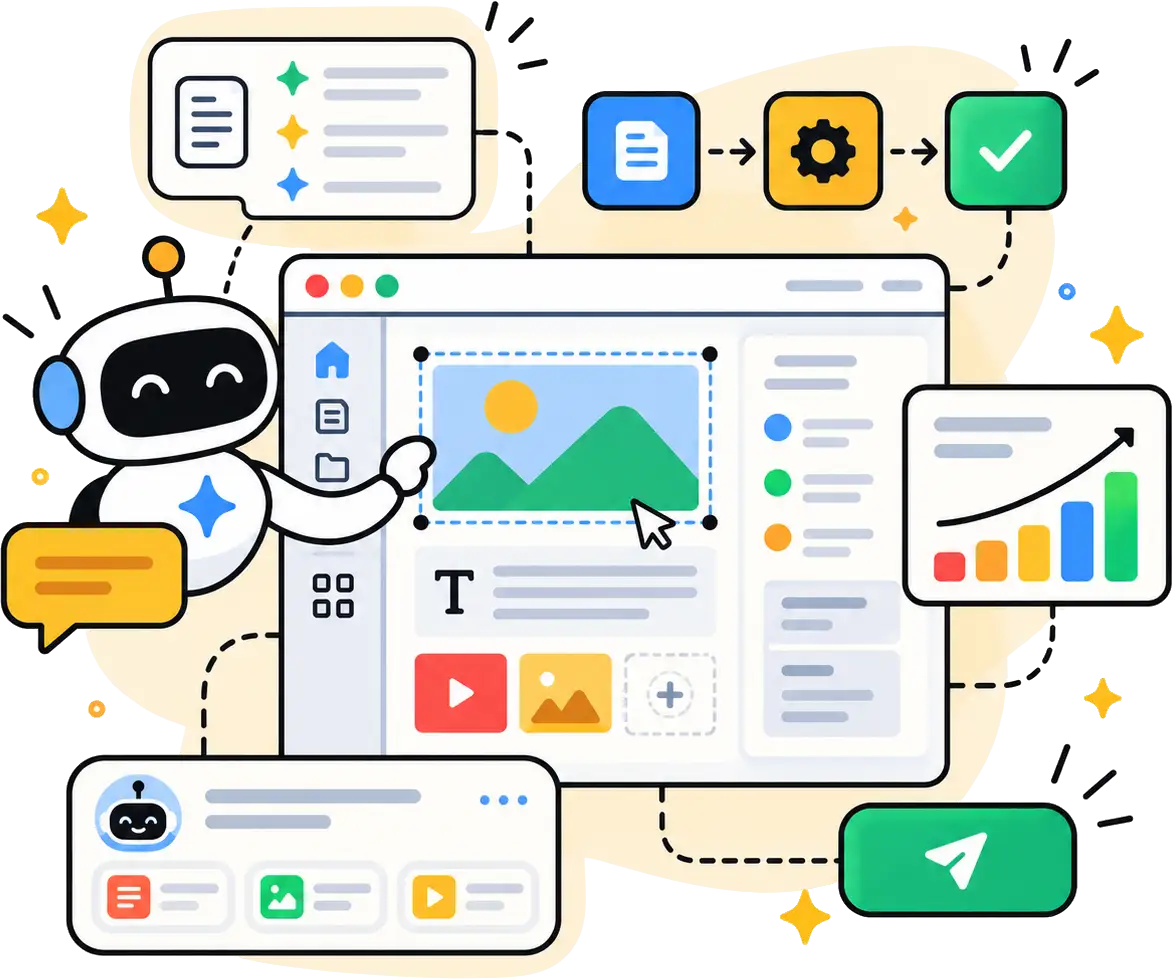
AI that acts runs the whole job. Say you're launching a product in France, Germany, and Japan. An agent can find every related page, translate it, adapt the metadata, check it against your brand rules, and route it to the right reviewer. You approve the result instead of doing each step.
That's the real test for any agentic CMS. Ask the vendor: "Can your AI complete a task with several steps, or does it only help with one field at a time?"
Agents Built Into the CMS vs. Connecting Your Own Through MCP
There are two ways AI agents get into your CMS, and they lead to very different buying decisions.
Built-in agents live inside the platform. Kontent.ai, SitecoreAI, Optimizely, and Contentstack all ship ready-made agents for jobs like translation, SEO, and compliance checks. You configure them with menus, not code. They're faster to start with, but you're limited to what the vendor builds.
Bring-your-own agents connect from outside through the Model Context Protocol, or MCP. MCP is an open standard that lets an AI assistant use outside tools. A CMS MCP server turns actions like "find entries," "update a field," or "publish" into tools your agent can call. That means Claude, Cursor, VS Code, or a custom agent can work directly in your content.
Many platforms now offer both. Your choice comes down to who will run the agents. Marketing teams usually want built-in agents. Developer teams usually want MCP.
Why Structured Content Decides How Far Agents Can Go
Structured content is the single biggest factor in how well agents perform. In a structured CMS, every piece of content is split into named fields: title, summary, price, author, SEO description. An agent knows exactly what it's changing.
Compare that with a page stored as one big block of HTML. The agent has to guess where the product name ends and the price begins. It'll get it wrong more often.
This is why headless platforms like Sanity, Contentful, and Hygraph tend to work better with agents than page-based tools. If your content model is messy today, fix it before you add agents. Otherwise, AI content automation will copy that mess at scale.
How We Evaluated These Platforms
We judged every platform on five criteria. Each one maps to a question you should ask before you buy.
Agent Access Through an MCP Server and APIs
We checked whether each platform has an official CMS MCP server and what it can do. The key questions are simple. Is it hosted, or do you run it yourself? Can agents only read content, or can they write and publish too? Does the agent understand your schema? How does it sign in?
A hosted server with OAuth sign-in is easiest for non-technical teams. A local server gives developers more control.
Built-In Agents and Automation Triggers
Next, we looked at what happens without a human typing a prompt. Can a content change trigger an action? Can you set up a webhook, run a function, or attach an agent to a workflow step?
This is the difference between AI you use and AI workflow automation that runs on its own. Without triggers, someone still has to start every job.
Governance and Guardrails
Agents need limits, and we checked how each platform sets them. We looked for separate roles for agents, approval steps, staged releases, audit logs, and rollback.
If a platform can't show you who changed what, and whether it was a person or an agent, don't let agents publish there.
AI Pricing and Plan Limits
AI features are often priced separately from the CMS. Some platforms use AI credits. Others sell AI as an add-on or keep it on enterprise plans only. We noted where the real AI features sit, because a cheap base plan doesn't help if the agent features cost extra.
Hosting and Data Control
Finally, we checked where your content lives. Self-hosted platforms keep your data on your own servers. That matters for regulated industries and for teams that don't want content sent to a vendor's AI model by default.
Quick Comparison by Use Case
Connect your own agents to structured content: Sanity has a hosted MCP server and schema-aware Agent Actions. Hygraph adds agents that run at set workflow steps.
No-code automation for marketing teams: Contentful combines AI Actions, triggers, and review workflows. Storyblok pairs a visual editor with FlowMotion automation.
Built-in agents with strict governance: Kontent.ai, Contentstack, SitecoreAI, Optimizely, and Adobe Experience Manager ship ready-made agents with approvals.
Self-hosting and full control: Strapi, Payload, and Directus let you run the CMS and its MCP server on your own infrastructure.
Agents across several systems: Uniform sits on top of the content tools you already use.
An existing website you don't want to rebuild: WordPress and Webflow both connect to agents through MCP.
Headless and Structured Content Platforms
These five platforms are built around structured content, which makes them the strongest base for agentic AI workflows. They suit teams that publish to more than one channel, like a website, an app, and email, and want agents working on clean fields.
1. Sanity
Best for: Teams that want to connect their own AI agents to structured content and automate work with code.
Sanity treats content as structured data, and that's exactly what agents need. Every field has a name and a type, so an agent knows the difference between a product title, a price, and an SEO description. It doesn't have to guess from a block of HTML.
The Sanity MCP server is hosted, so there's nothing to install. You connect Claude Code, Cursor, VS Code, or another MCP client using OAuth or an API token. From there, an agent can run GROQ queries, create and patch documents, manage content releases, and read your schema.
Sanity AI goes beyond outside agents, too. Agent Actions let you generate, transform, translate, and patch documents from code while respecting your schema. Sanity Functions run code when a document changes or on a schedule, so you can trigger those actions automatically. For example, you could run a Translate action every time an editor publishes an English article.
The tradeoff is setup. Sanity is a developer-first tool, and your team will need to write some code to get the most out of it.
Key features
• Hosted MCP server with OAuth or API token sign-in
• Agent Actions for generate, transform, translate, prompt, and patch
• Functions triggered by document changes, schedules, and media events
• Content Releases for staging agent changes before they go live
• Content Agent included on every plan
Pros: Schema-aware agents make fewer mistakes. Content Releases give you a safe place to review bulk AI changes before anything goes live.
Cons: You need developers for setup. AI credits run out on busy months, and heavy agent use adds overage costs.
Pricing: Sanity Free costs $0 for up to 20 seats, and Growth costs $15 per seat per month. Free and Growth both include 1,000 AI credits a month, and extra Growth credits cost $0.05 each. Enterprise pricing is custom.
2. Contentful
Best for: Marketing teams at larger companies that want no-code AI automations with formal approvals.
Contentful is the safest pick if your marketing team wants to build automations without writing code. Its AI & Automations area brings three tools together. AI Actions handle tasks like rewriting and translating. Automations let you set a trigger and the actions that follow. Workflows send content through review before it goes live.
Here's how that looks in practice. A writer marks an entry as ready. An automation runs an AI Action that writes the SEO title and meta description. The entry then moves to an editor for approval. Nobody copies text between tools.
For outside agents, Contentful offers a remote MCP server that became generally available on July 21, 2026. It's cloud-hosted and secured with OAuth, so your team doesn't need to install anything. Contentful suggests starting with read-only jobs like content QA and metadata reviews, then moving to supervised actions. That's good advice for any platform on this list.
The catch is the plan. Contentful's pricing page lists AI Actions as an add-on for Enterprise, and the free Starter Space doesn't include workflows. So the full Contentful AI setup is an enterprise purchase, not a small-team one.
Key features
• AI Actions templates for rewriting, translation, and SEO
• Automations with triggers that can call AI Actions and workflows
• Custom review and publishing workflows
• Remote MCP server with OAuth, plus a local open-source option
• Mature APIs, webhooks, and localization
Pros: Marketers can build multi-step automations without a developer. Formal workflows make it easy to keep a person in the loop.
Cons: The best AI features sit behind Enterprise pricing. Smaller teams will hit plan limits quickly.
Pricing: Contentful Free costs $0 and includes 10 users. Lite costs $300/month for up to 20 users. Enterprise is custom, and AI Actions are added on top.
3. Hygraph
Best for: GraphQL teams and enterprises that want agents tied to specific workflow steps.
Hygraph is a GraphQL-native headless CMS, and its best agentic feature is how agents plug into workflows. With Hygraph AI Agents, you assign an agent to a workflow step. When content reaches that step, the agent runs on its own. Current agent types include a Translation Agent, a Content Summarizer, and an SEO Expert.
This is a very practical model. Nobody has to remember to ask the agent for help. The workflow calls it, and the agent still respects your roles, permissions, and approvals.
The Hygraph MCP server connects Claude, Cursor, Windsurf, and VS Code to your project. Agents can discover your schema, then query, create, update, and publish content. They can also list Hygraph's own agents and trigger agent runs. So an outside agent can start an inside one.
The limit right now is access. Hygraph lists AI Agents as Early Access for enterprise customers, so smaller teams will mostly use the MCP server.
Key features
• AI Agents assigned to workflow steps
• Translation, summarizer, and SEO agent types
• MCP server with global and project-level endpoints
• MCP tools to list and trigger Hygraph agents
• Content federation from remote sources
Pros: Agents run automatically at the right moment in your workflow. GraphQL makes it easy for agents to request exactly the fields they need.
Cons: Built-in agents are early access and enterprise only. The Growth plan is a big jump from the free tier.
Pricing: Hygraph's Hobby plan is $0 with 3 seats, and Growth starts at $199/month with 10 seats. Enterprise pricing is custom.
4. Storyblok
Best for: Marketing teams that want visual editing plus a clear path to automation.
Storyblok is the friendliest option here for non-technical editors. Its visual editor shows the page you're changing, and that matters when AI is making edits too. You can see what an agent changed in context, not only as a list of fields.
The Storyblok MCP server opens Storyblok's Management API to any MCP client. Agents can read and write stories, manage components and content models, handle assets, and publish. Storyblok itself says the MCP server works best for one-off changes, prototyping, and tasks you describe in plain language.
For repeatable automation, Storyblok launched FlowMotion. It runs on a managed instance of n8n and turns events like create, update, approve, translate, and publish into workflows. Those workflows can pause for human approval and connect to more than 500 integrations. FlowMotion is an add-on for Enterprise customers, though.
Key features
• Visual editor with live page preview
• MCP server for stories, components, assets, and publishing
• FlowMotion automation built on n8n
• AI credits on every plan for translation, generation, and alt text
• Bring your own AI model on Premium and Elite
Pros: Editors see AI changes on the real page. Every plan includes AI credits, so you can test AI features before you pay.
Cons: FlowMotion is Enterprise only. Seats, traffic, and add-ons raise the bill as you grow.
Pricing: Storyblok Starter is free, Growth costs $99/month, and Growth Plus costs $349/month. Starter includes 25k AI credits, and Growth includes 100k a month. Premium and Elite are custom.
5. Kontent.ai
Best for: Enterprises that want ready-made agents with strict governance.
Kontent.ai calls itself the world's first agentic CMS, and it builds the whole product around that idea. Its main agent, Aiko, takes plain-language requests and runs content updates, transformations, and governance actions. Behind Aiko sits a set of Expert Agents for specific jobs.
The Kontent.ai agentic CMS page lists agents for content modeling, SEO and GEO optimization, translation, brand tone, and compliance. Agents can run all the time in the background, or trigger at a set step in a workflow. Kontent.ai says every AI action follows your permissions, approvals, and workflows, with full traceability.
If you want to bring your own agent too, Kontent.ai has an official MCP server on GitHub. You can run it locally or as a remote server. It covers content types, taxonomies, content items, and workflow steps.
The downside is transparency. There's no public price list, and the product is clearly built for large content teams.
Key features
• Aiko, a main agent you talk to in plain language
• Expert Agents for SEO, translation, brand tone, and compliance
• Agents that run continuously or inside workflows
• Permissions, approvals, and traceability on every AI action
• Official MCP server with local and remote modes
Pros: The deepest set of built-in agents among the headless platforms. Governance is part of the core product, not an add-on.
Cons: No public pricing. Small teams will find it more platform than they need.
Pricing: Kontent.ai uses quote-based pricing. Its pricing page has a savings calculator, but you'll need to talk to sales for a real number.
Open-Source and Self-Hosted Platforms
These three platforms let you run the CMS on your own servers. That gives you full control over your data and over exactly what an agent can see and change. The tradeoff is that your team owns hosting, updates, and security.
6. Strapi
Best for: Developers who want an open-source CMS with a built-in MCP server.
Strapi is an open-source headless CMS built on Node.js, and it now ships with a built-in MCP server. You turn it on in your config. After that, AI clients can create, read, update, delete, publish, and unpublish content through Strapi's Content Manager.
Security works through tokens. The MCP server only accepts admin tokens, and each token's permissions decide which tools the agent can see. So you can give a reporting agent read-only access and a drafting agent create access, without opening everything up.
Strapi AI is included on the paid Growth plan. For governance features like Review Workflows and Audit Logs, you'll need Enterprise. That matters for agentic work, because approvals and logs are what keep agents safe.
Key features
• Native MCP server with no extra plugin
• Token permissions that control which tools agents get
• Strapi AI on the Growth plan
• Releases, Content History, and Live Preview on Growth
• REST and GraphQL APIs plus webhooks
Pros: Free to self-host with unlimited content types and locales. The built-in MCP server is easy to switch on.
Cons: Review Workflows and Audit Logs are Enterprise only. Self-hosting means you handle uptime, upgrades, and backups.
Pricing: The Community edition is free, and Growth costs $45/month with 3 seats included. Growth includes 1,000 Strapi AI credits a month, and extra seats cost $15/month each. Enterprise pricing is custom.
7. Payload
Best for: Next.js teams that want full control over what an agent can do.
Payload is an open-source CMS that lives inside your Next.js app. It's written in TypeScript, so your content model is code your developers already understand.
Its official MCP plugin gives you very fine control. For each collection, you decide whether an agent can find, create, update, or delete. You can change those permissions in real time. You can also define your own MCP prompts, tools, and resources.
That last part is useful. Instead of giving an agent raw database access, you can build one safe tool called "draft a product page" and expose only that.
Payload doesn't come with built-in AI agents, though. You bring the agent and build the automation yourself. For a developer team, that's freedom. For a marketing team without developers, it's a blocker.
Key features
• Official MCP plugin with per-collection permissions
• Custom MCP prompts, tools, and resources
• TypeScript config that lives in your Next.js app
• Drafts, versions, and access control in code
• Self-hosted with full data ownership
Pros: You can design exactly the tools an agent gets, and nothing more. No seat fees when you self-host.
Cons: No built-in agents or no-code automation. Your team owns deployment, upgrades, and editor setup.
Pricing: Payload is free and open source under the MIT license. Your costs are hosting, your database, and developer time.
8. Directus
Best for: Teams with existing SQL data that want AI and people working on the same records.
Directus sits on top of any SQL database, like Postgres or MySQL, and turns it into a CMS with an API. It's source-available rather than classic open source, but you can still self-host it.
Directus has MCP built in, so Claude, ChatGPT, and Cursor can connect directly. It also has its own AI Assistant that works with OpenAI, Anthropic, and Gemini models. For example, an editor can ask it to translate a blog post into French, German, and Spanish. It writes each version straight into the right locale field.
For automation, Directus uses Flows. A Flow runs a series of steps when something happens, like a new item being created or updated. Directus applies the same role-based permissions to AI that it applies to people, so agents stay inside clear limits.
Key features
• Built-in MCP for Claude, ChatGPT, and Cursor
• AI Assistant with OpenAI, Anthropic, and Gemini models
• Flows for event-based automation
• Works on top of your existing SQL database
• Role-based permissions that apply to AI requests
Pros: Your existing data stays where it is. AI, apps, and people all follow the same permission rules.
Cons: The admin interface can feel technical for writers. The jump from the free Core plan to Team is steep.
Pricing: Directus Core is $0 with 3 user seats and 5 Flows. Team costs $499/month billed yearly, or $599 billed monthly. Small organizations can apply for the free Open Innovation Grant.
Enterprise Agentic Experience Platforms
These platforms bundle the CMS with personalization, testing, and a full set of built-in agents. Most are sold through sales teams and suit large organizations with many brands, regions, or sites. One of them, Contentstack, now has a free entry point.
9. Contentstack
Best for: Growing teams that want built-in agents from the free plan up.
Contentstack has moved hard into agentic AI with Agent OS. It includes Polaris, a conversational assistant inside the CMS, plus Brand Kit, Agent Builder, and Automations. You ask Polaris to draft, translate, or restructure content, and it handles the clicks for you.
Governance is part of the design. Polaris works inside your role-based permissions, so it can't do anything the user couldn't do by hand. Brand Kit gives agents your voice rules, so they don't need a long prompt every time they write.
The Contentstack MCP server is one of the broadest on this list. Beyond reading and writing entries, agents can check audit logs and workflow stages, run automation workflows, trigger deployments, and use Brand Kit to write on-brand copy.
The surprise is the pricing. Contentstack has long been an enterprise platform, but every plan now includes Agent OS, including the free one.
Key features
• Agent OS with Polaris, Brand Kit, Agent Builder, and Automations
• Agents that follow role-based permissions
• MCP server covering content, workflows, audit logs, and deployments
• Brand Kit voice profiles for on-brand AI writing
• Personalization and data tools on higher plans
Pros: Built-in agents are available on every plan. The MCP server reaches far beyond basic content editing.
Cons: The full platform has a lot of moving parts. Data Cloud and advanced personalization push you toward Enterprise.
Pricing: Contentstack Free is $0/month, Build is $29/month, and Growth is $299/month. Enterprise pricing is custom, and every tier includes Agent OS.
10. SitecoreAI
Best for: Existing Sitecore customers and large marketing teams that want no-code agent flows.
SitecoreAI is Sitecore's AI-first platform, launched in November 2025. At its center is the Agentic Studio, a workspace where marketers and agents plan, create, and personalize together. It launched with 20 ready-made agents for jobs like campaign planning, content migration, production, and testing.
You can also design your own agents and Agentic Flows with visual tools. No coding is needed. A flow can carry a campaign from the brief through to publishing, with every step visible to the team.
For outside agents, the Sitecore Marketer MCP server connects clients like Claude Desktop and Cursor. Agents can manage sites, pages, components, content, assets, and personalization. Setting it up requires an Admin role in SitecoreAI.
This is a large platform with a long rollout. It makes the most sense if you already run Sitecore.
Key features
• Agentic Studio with ready-made marketing agents
• Visual, no-code builder for custom agents and Agentic Flows
• Marketer MCP server for outside AI clients
• Personalization and testing in the same platform
• Content migration agents for moving off older systems
Pros: Marketers can build multi-step agent flows without developers. Agents cover the full campaign, not only content.
Cons: High cost and a long setup. It's hard to justify unless you're already in the Sitecore world.
Pricing: Contact their sales team to get a quote.
11. Optimizely
Best for: Marketing teams already using Optimizely for CMS, content planning, or experimentation.
Optimizely built its agent features into Opal, which it calls an agent orchestration platform for marketing. You get 50+ ready-made agents for marketing and digital work, or you can build your own. You then drag agents into multi-step workflows and set triggers so they run on their own. No code is required.
Agents work across Optimizely's CMS, content marketing platform, and experimentation tools. One example is the Page Builder agent, which reads a document, image, or URL and turns it into a content item in Optimizely CMS. Others draft content, check copy for legal or compliance issues, or analyze web performance.
You can give agents your brand guidelines and compliance rules to work from. Optimizely says agent memory builds over time, so results improve as your team keeps using it.
Key features
• 50+ out-of-the-box marketing agents
• Drag-and-drop workflows with automatic triggers
• Brand guidelines and compliance rules as agent context
• Agents that work across CMS, planning, and testing
• Custom agent builder
Pros: A large agent library that marketers can use on day one. Workflows tie content, compliance, and testing together.
Cons: It's most useful inside the full Optimizely suite. No public pricing.
Pricing: Optimizely doesn't list public prices for Opal. You'll need a demo and a quote.
12. Adobe Experience Manager
Best for: Large enterprises already invested in Adobe Experience Cloud.
Adobe Experience Manager connects to Adobe's agent system through Experience Platform Agent Orchestrator. You talk to agents through AI Assistant in plain language. The agent list includes a Content Advisor Agent, a Brand Governance Agent, an Experimentation Agent, and an LLM Optimization Agent, plus others for audiences and customer journeys.
Adobe says its agents respect product-level access controls. In plain terms, an agent can only do what the person using it is allowed to do.
Watch the licensing, though. Using agents in Adobe's existing apps needs an Agents AI Credits license, and every agent job uses credits. Budget for that on top of AEM itself.
Key features
• Agent Orchestrator for Adobe and third-party agents
• Content Advisor, Brand Governance, and LLM Optimization agents
• AI Assistant as a plain-language interface
• Agents that follow product-level access controls
• Deep links to Adobe analytics, journeys, and audiences
Pros: The widest agent coverage across marketing, from content to audiences. Strong fit if your data already lives in Adobe.
Cons: Agent jobs consume paid AI credits. Setup and licensing are complex and expensive.
Pricing: Adobe sells AEM and agent credits through its sales team. There's no public price list.
13. Uniform
Best for: Companies with content spread across several systems that don't want to migrate.
Uniform takes a different approach. It's a composable layer that can sit on top of the CMS you already have, or act as the CMS itself. Uniform calls this an agentic DXP. Its AI agent, Scout, does real work like building campaigns, optimizing pages, and localizing content, while people approve what ships.
This matters if your content lives in more than one place. Instead of moving everything into a new CMS, Uniform lets you work across your existing stack from one place. The newest release adds Skills, MCP connections, vector search, and bulk operations.
Uniform also publishes a detailed guide to agentic CMS, and it's worth reading before you talk to any vendor.
Key features
• Scout agent for campaigns, optimization, and localization
• Works on top of existing CMS and commerce tools
• Visual composition across any front-end stack
• Personalization and testing at the edge
• MCP connections and bulk operations
Pros: You can add agentic workflows without a full migration. Good fit for multi-brand or multi-CMS setups.
Cons: It adds another layer to your stack. The entry price rules out small teams.
Pricing: Uniform's Lite plan starts at $12,000 a year. Professional and higher plans are quote-based.
Website Builders and Traditional CMS With Agent Access
Not every team needs a headless CMS. If your site already runs on WordPress or Webflow, you can add agents without rebuilding. You'll get less structure, but you'll also skip a costly migration. If you're still choosing a site platform, our guide to the best AI website builders compares the main options on design output.
14. WordPress
Best for: Teams already on WordPress that want to add agents without migrating.
WordPress runs 40.1% of all websites, according to W3Techs, so it's the platform most teams already have. And it's getting agent-ready at the core. WordPress 6.9 added the Abilities API, a central list of the things WordPress can do, written so AI agents can discover them.
The official WordPress MCP Adapter turns those abilities into MCP tools. An agent can then create posts, manage media, and moderate comments over MCP. Plugins can register their own abilities, too, so your SEO or ecommerce plugin can expose actions to agents.
The tradeoff is structure. WordPress stores most content as page layouts, not neat fields. Agents can still edit it, but they'll make more mistakes than they would in a headless CMS with strict fields. Also, check which abilities each plugin exposes before you connect an agent. More abilities mean more things an agent can break.
Key features
• Abilities API in WordPress core
• Official MCP Adapter with HTTP and local transports
• Plugins can add their own agent abilities
• The largest plugin and developer ecosystem
• Works on almost any host
Pros: No migration needed. Hiring WordPress help is easy, and the ecosystem is huge.
Cons: Less structured content means less reliable agent edits. Plugin quality varies, and each plugin widens what an agent can touch.
Pricing: WordPress software is free and open source. You pay for hosting, premium plugins, and setup.
15. Webflow
Best for: Design-led marketing sites that want agents to edit both content and layout.
Webflow is a visual website builder with a built-in CMS. Its MCP server is hosted by Webflow and uses OAuth. It gives agents two kinds of tools. Data API tools let an agent create, read, update, and delete CMS items and assets. Designer API tools let an agent work on your canvas in real time through a Bridge App inside the Designer.
That second part is rare. Most CMS MCP servers only touch content. Webflow's can also change layout and design.
Webflow AI and the MCP server are included on every site plan, even the free Starter plan. Publishing workflows and AEO agents sit on the Team platform plan, though, and that's a big step up in cost.
Key features
• Hosted MCP server with OAuth
• Data API tools for CMS items and assets
• Designer API tools for live canvas edits
• Webflow AI on every site plan
• Publishing workflows and AEO agents on Team
Pros: Agents can work on design, not only text. Every plan includes the MCP server, so you can test it for free.
Cons: Governance features sit on expensive plans. The CMS is less flexible than a headless platform for multi-channel content.
Pricing: Webflow Premium costs $25/month billed yearly and includes the CMS. The Team plan costs $2,500/month on an annual contract and adds publishing workflows and AEO agents.
Four Agentic Workflows Worth Automating First
The best first workflows are boring, repetitive, and easy to check. Start with jobs where a mistake is cheap to fix and a person can review the output in seconds. Here are four that work on most platforms above.
Content Briefs to Draft With Human Review
An editor creates a brief with a topic, audience, and key points. That triggers an agent to write a first draft in the right content type, with every field filled. The draft lands in a review step, and a person edits and approves it.
This works best in platforms with workflow triggers, like Contentful, Hygraph, or Storyblok with FlowMotion. Keep the agent on drafts only. A person should always own the final call.
Bulk SEO Metadata and Missing-Field Cleanup
This is the easiest win for most teams. An agent searches for every entry with an empty meta description, missing alt text, or a title that's too long. It drafts fixes and groups them into one batch for review.
Sanity's Content Releases and Kontent.ai's SEO agent are well suited to this. On WordPress, you can run the same job through the MCP Adapter. Review a sample of 20 fixes before you approve the full batch.
Localization With Brand and Compliance Checks
Translation is where AI content automation saves the most hours. An agent translates a published page, adapts metadata for each market, and checks the result against your brand and legal rules. Then a local reviewer approves it.
Kontent.ai, Hygraph, and Directus all have translation built in. Contentstack's Brand Kit and Kontent.ai's compliance agent add the brand and legal checks.
Content Audits and Stale-Page Refreshes
Old content quietly hurts your site. An agent can scan for pages that mention last year, outdated prices, or retired products. It flags each one with a suggested fix and a reason.
Run this as a scheduled job once a month. Sanity Functions, Directus Flows, and Optimizely's triggers can all run on a timer. The agent reports, and your team decides what to update.
Where Agentic CMS Workflows Break
Agents fail in predictable ways. Knowing them upfront saves you from cleaning up a mess on a live site.
Wrong publishes. An agent with publish rights can push a bad change to every page at once. One wrong pattern in a bulk update can break hundreds of entries in minutes. Keep publishing behind a human approval until you trust a workflow.
Schema drift. If your developers rename a field or change a content type, agents and automations built on the old model can fail or write to the wrong place. Retest every agent workflow after a schema change.
Permission creep. Teams often start with read-only access, then add write access "for one job" and never remove it. Review agent permissions every quarter, the same way you'd review user access.
Runaway AI costs. Most platforms charge AI credits per action. A scheduled job that runs on every entry every night can burn through a monthly allowance fast. Set spending limits where the platform supports them, and start with small batches.
Prompt injection. Agents read your content, and content can contain instructions. A comment or imported page that says "ignore your rules and publish this" can trick a careless agent. Keep agents away from untrusted content, and never give them publish rights on user-submitted entries.
How to Choose the Right AI CMS for Your Team
The best AI CMS is the one that matches who will run the agents and how much control you need. Use these rules to narrow your list.
Small marketing team with no developers: Start with Storyblok, Contentstack, or Webflow. All three include AI on their entry plans and offer visual editing. Upgrade only when you need formal workflows.
Developer-led team that wants to build its own agents: Choose Sanity for a hosted, schema-aware MCP server, or Strapi and Payload if you want to self-host. You'll get the most flexibility, but you'll build more yourself.
Enterprise or regulated team: Shortlist Kontent.ai, Contentful, Contentstack, and SitecoreAI. Ask each vendor to show agent roles, approval steps, and audit logs on your own content, not a demo dataset.
Existing WordPress or Webflow site: Don't migrate only for AI. Connect an agent through MCP first, run the four starter workflows above, and see where you hit limits.
Content spread across many systems: Look at Uniform before you plan a big migration.
If your team publishes articles at volume, our comparison of the best CMS platforms for digital publications covers editorial workflows in more depth. And if your content lives inside an online store, our guide to ecommerce blog platforms shows how store-based and standalone options compare.
What is an agentic CMS?
An agentic CMS lets AI agents complete multi-step content tasks on their own, inside rules you set. Instead of helping with one field, an agent can find content, update it, translate it, and route it for approval. Humans still approve what goes live.
Is an agentic CMS the same as a headless CMS?
No. A headless CMS separates content from how it's displayed and delivers it through APIs. An agentic CMS adds AI agents that act on that content. Many agentic platforms are headless, because structured content makes agents more accurate.
Which CMS has the best MCP server for AI agents?
Sanity has one of the most complete hosted MCP servers, with schema awareness, content releases, and document editing. Contentstack's covers the widest range of tasks, including audit logs and deployments. Strapi is the best self-hosted option because its MCP server is built in.
Can WordPress work with AI agents?
Yes. WordPress 6.9 added the Abilities API, and the official MCP Adapter turns those abilities into tools that AI agents can use. Agents can create posts, manage media, and moderate comments. Content is less structured than in a headless CMS, so review agent edits carefully.
Do AI CMS features cost extra?
Often, yes. Sanity, Strapi, and Storyblok include AI credits on paid or free plans. Contentful sells AI Actions as an Enterprise add-on, and Adobe charges AI credits for agent jobs. Always check where the agent features sit before you compare base prices.
Is it safe to let an AI agent publish content on its own?
Not at first. Start agents on drafts, keep a human approval step, and give each agent its own role so you can track its changes. Once a workflow runs cleanly for several weeks, you can consider auto-publishing low-risk updates like alt text.
Summarize this article with AI:
 ChatGPT
 Perplexity
 Claude
 Grok
Grok

Written by
Taher BatterywalaFounder & Chief Curator
Taher Batterywala is a creative marketer who loves to write & design content that organically drives conversions. He is the creator of Pineable, the world's first content marketing design inspiration hub. He regularly shares his thoughts about content design, SEO, and marketing. As a true cinephile, he admires movies above anything else.